
SOCIAL MEDIA KIT
Your content, placed perfectly. Every time.
Safe zones and grid layouts for every social platform. Drop your content in, walk away with something that actually looks right.
No more guessing where things go. Every post. Every story. Always on point.


“Does this look right?”
“Should I move the text up?”
“Why does it look cheap when I see it posted?”
If you've said any of this — the problem isn't your content. It's the lack of structure.
SOCIAL MEDIA KIT GIVES YOU
THE STRUCTURE YOUR CONTENT NEEDS — WITHOUT LEARNING DESIGN.
Safe zones show you exactly where your content is safe — clear of the crop, clear of the buttons. Grids show you where to place it, so every edge lines up and nothing sits at random. Together they take the guesswork out of the whole thing — every layout works, every time.
Safe zones show you exactly where your content is safe. Grids show you where to place it. Together — every layout works. Every time.
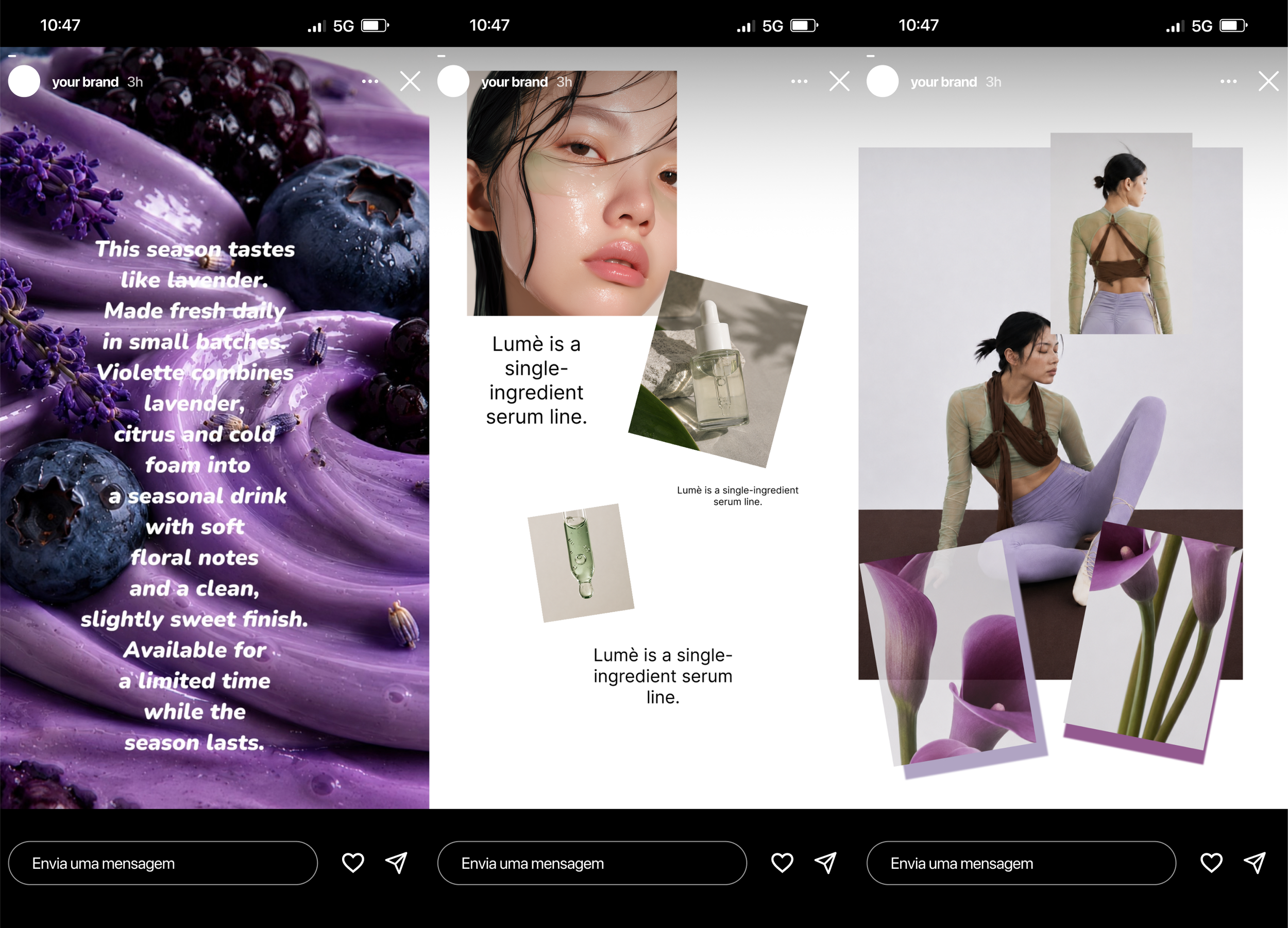
Without
With Social Media Kit
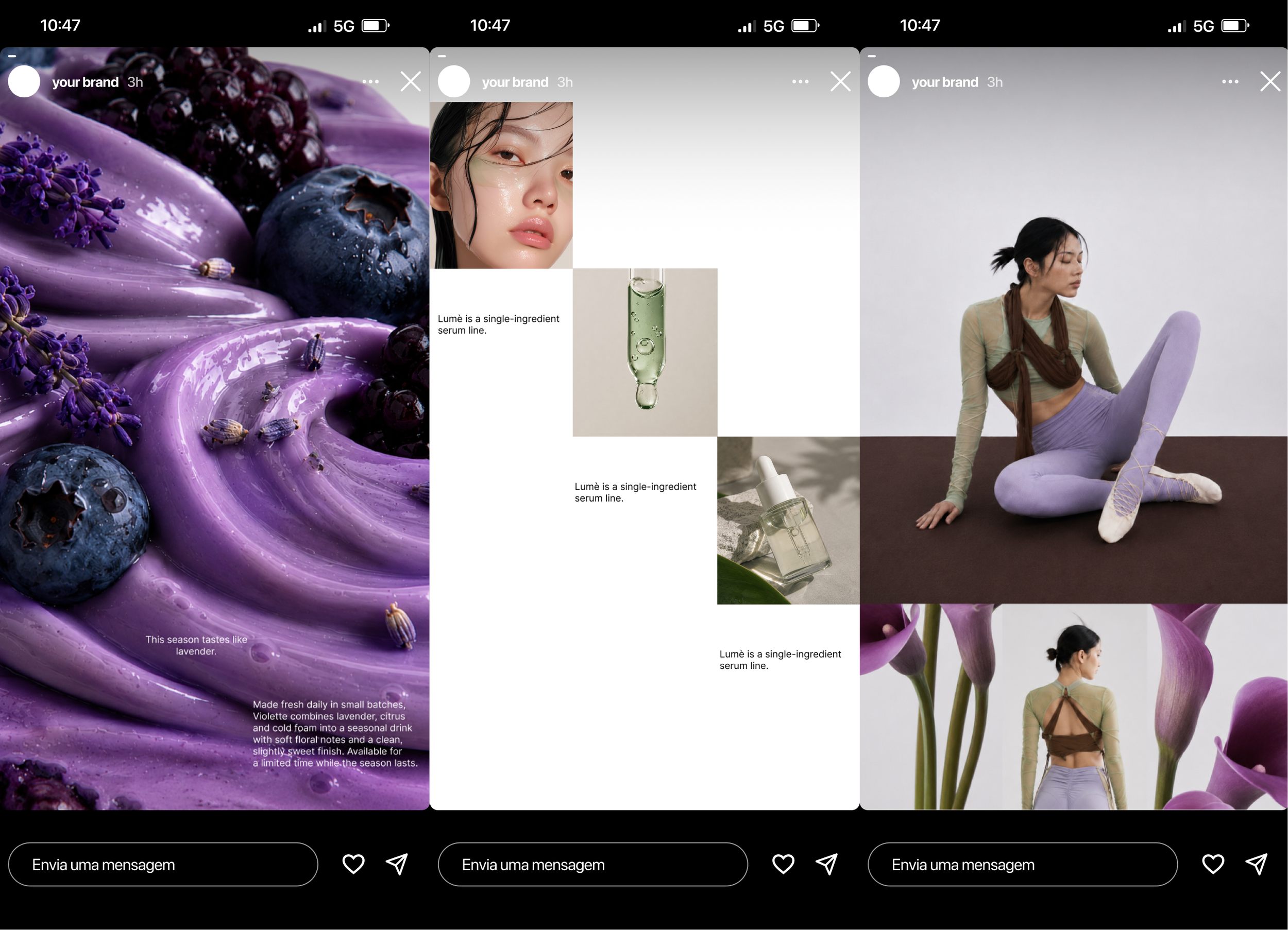
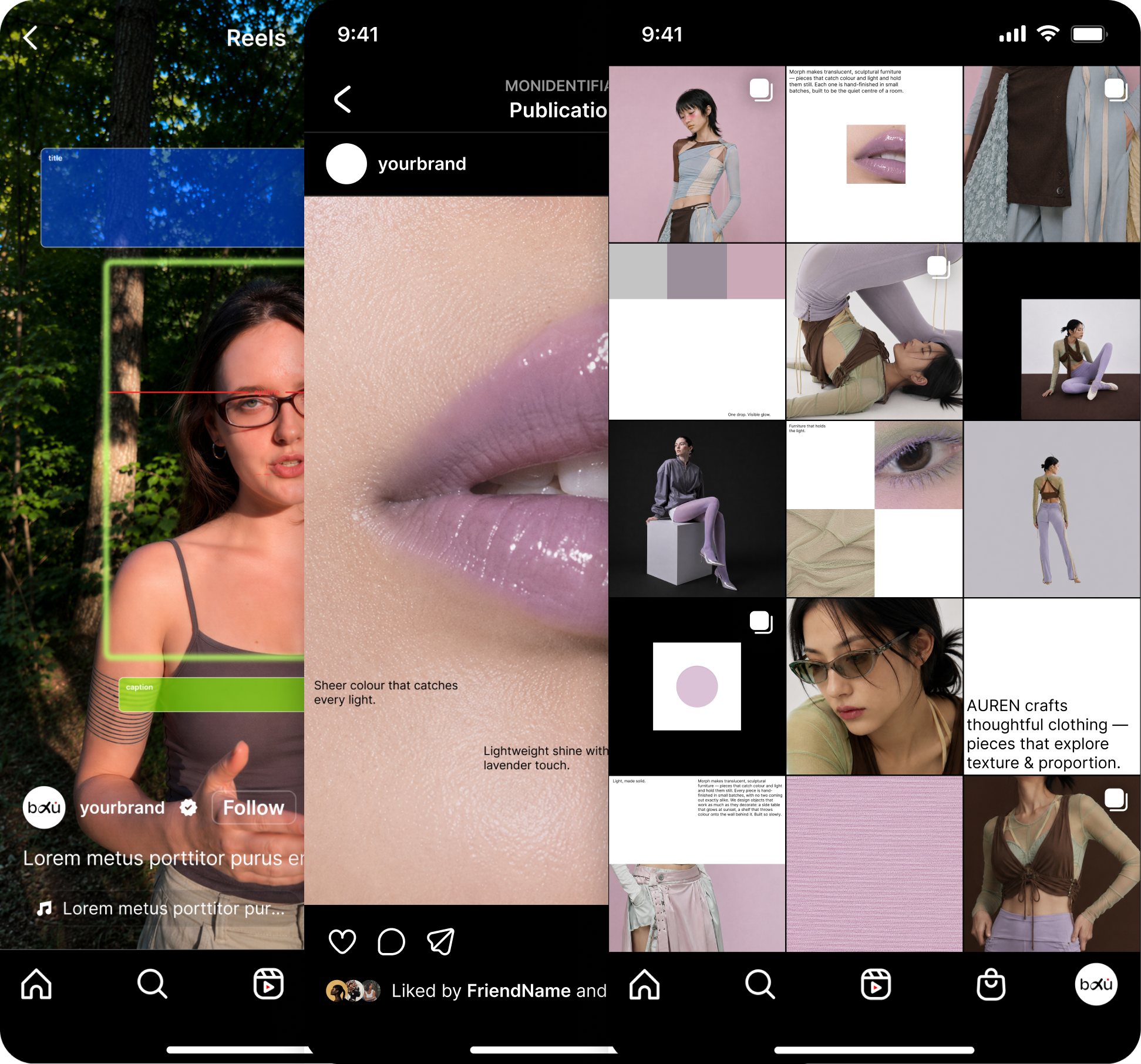
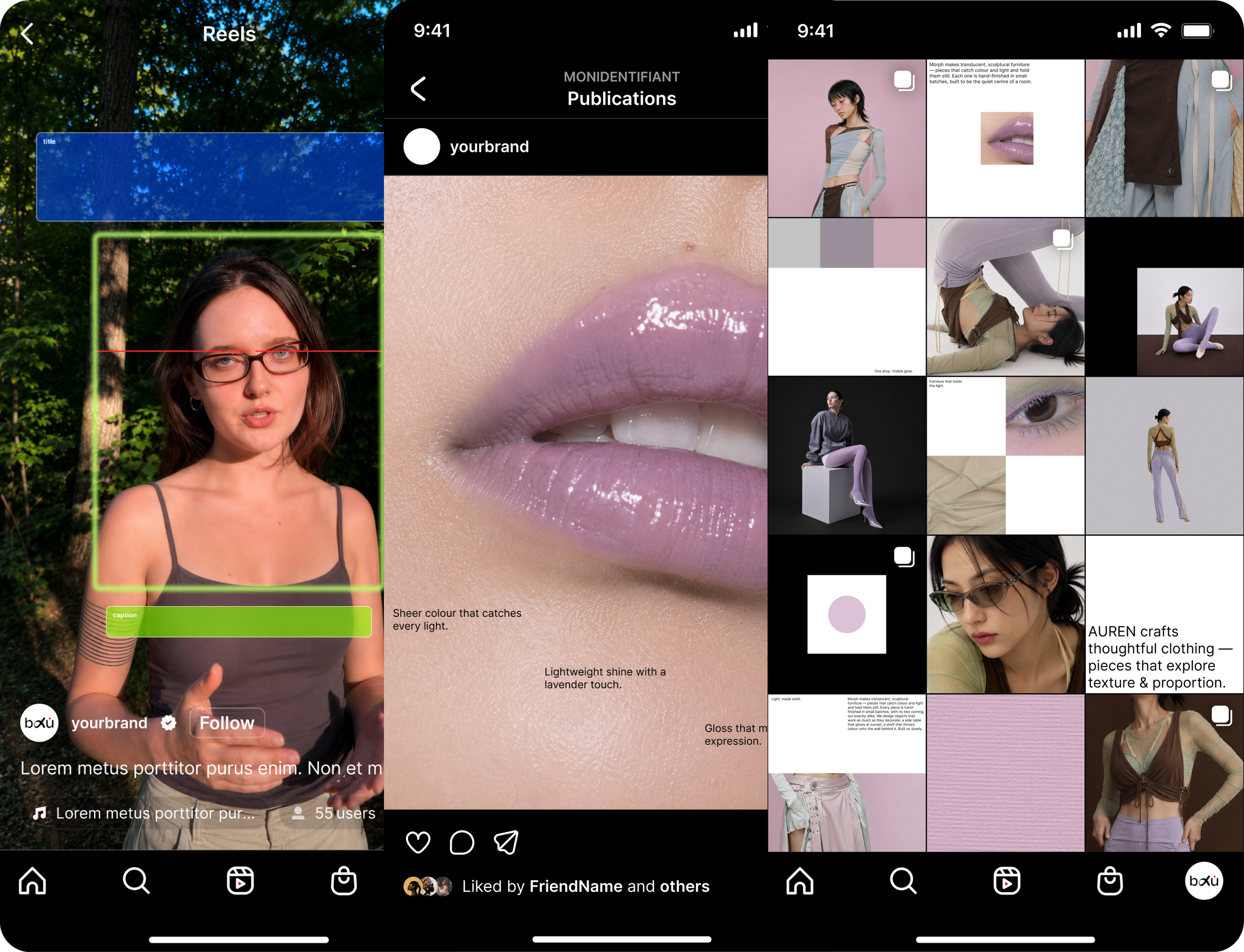
Your caption, CTA and face stay visible on every phone — not buried under the interface.
NOTHING IMPORTANT GETS CUT OFF.
Reels are the format every creator's leaning on — and they crop the hardest. Safe zones map where your content stays visible, so nothing important gets cut off or hidden behind buttons.
Without

With Social Media Kit
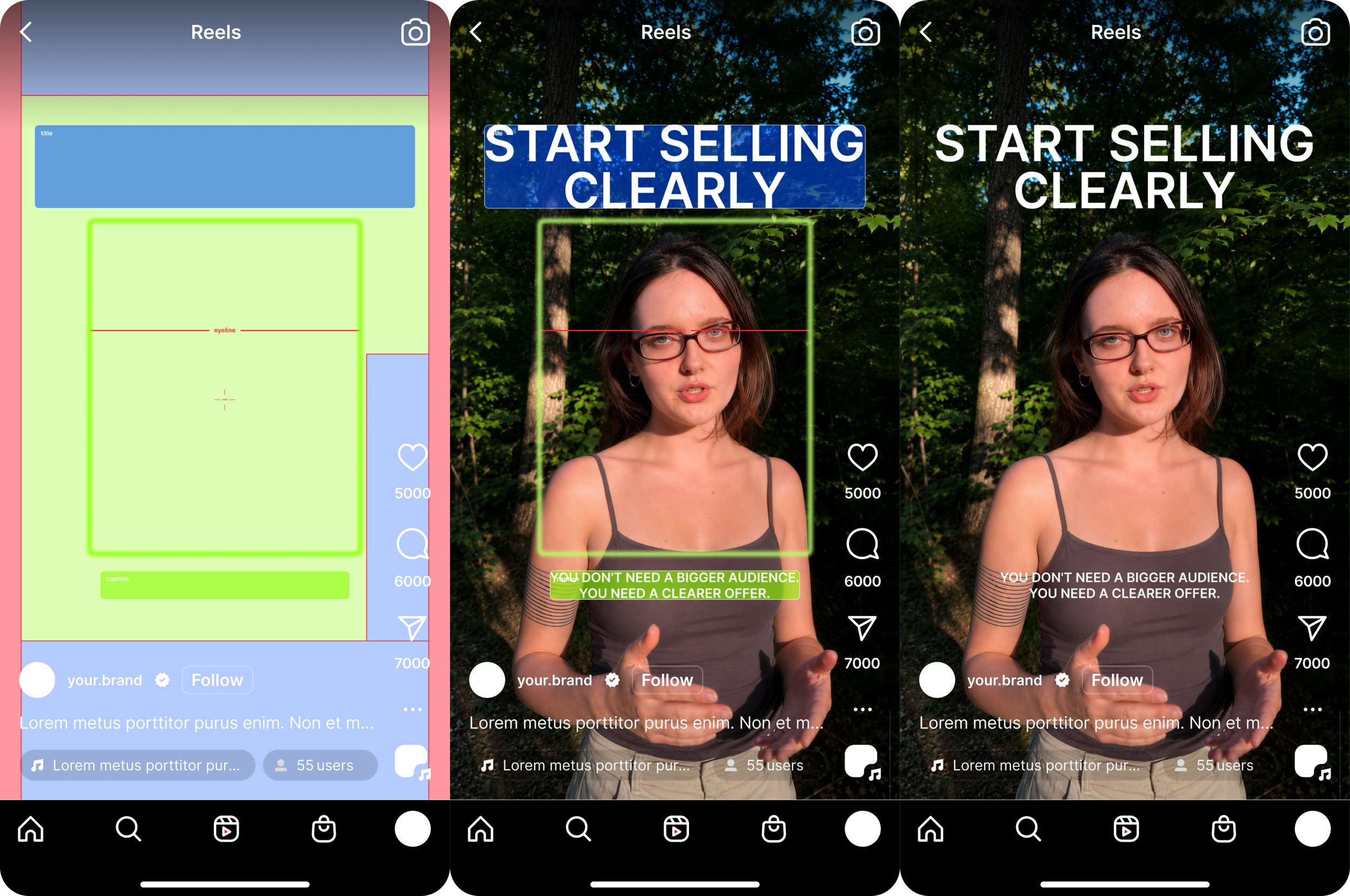
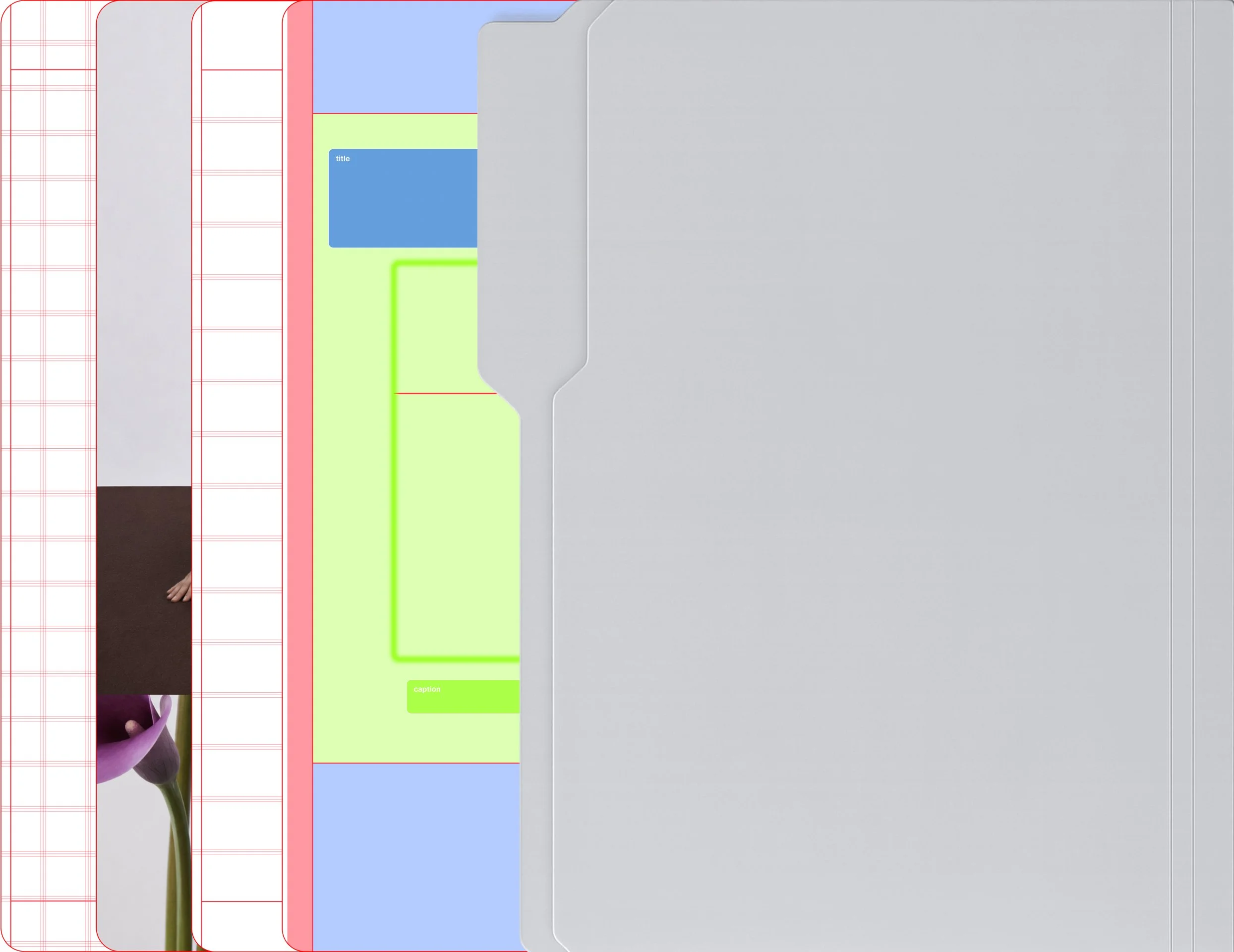
Everything in one kit:
Safe Zones for Stories, Reels, Posts and Feed across all major platforms
Column and Modular Grid optimised for every format — Stories, Vertical Post, Post and Horizontal Post
3 content placement maps built specifically for Reels
20 layout examples — 10 on the Column grid, 10 on the Modular grid
Fully editable layers in Figma and Canva — plus transparent PNG overlays for any tool


One kit. Every tool.
Figma — for anyone who works in Figma. Canva — drag, drop, done. PNG — works in any tool, any app, anywhere.
THREE STEPS. NO DESIGN SKILLS REQUIRED.
Open the kit in Figma, Canva, or drop the PNG into any tool
01
Pick your format and drop your content into the grid
02
Check it sits in the safe zone — done
03
Built for people who create content.
Marketers who make their own visuals
SMM managers who want consistency
Coaches and founders tired of "something looks off"
Creators who want structure without studying design theory
QUESTIONS.
-
That's exactly who it's built for. Drop your content in, follow the grid, done — no design theory, no learning curve. If you can move a text box, you can use this.
-
Yes. It works in Canva (including free), Figma, or as a PNG you can drop into any tool you already use.
-
Free files give you lines on a screen. Social Media Kit gives you the full system — safe zones, grids that tell you where things go, ready layout examples, and everything fully editable. Lines vs. knowing what to do with them.
-
Both — your choice. Use the PNG anywhere as-is, or open the editable Figma/Canva version where every safe zone and grid is a real, named layer you can move, resize and restyle.
-
The moment you check out, you get instant access to your download — and a link lands in your email too, so you'll never lose it.
Your content deserves a system. Structure changes everything. One kit. Every layout.
Safe zones and grid layouts for every social platform. Drop your content in, walk away with something that actually looks right.
Two systems.
One workflow.
You're looking at one half of the system. Social Media Kit handles your feed; Composition Library handles everything else. Together they cover any project you throw at them — and the bundle saves you $17.
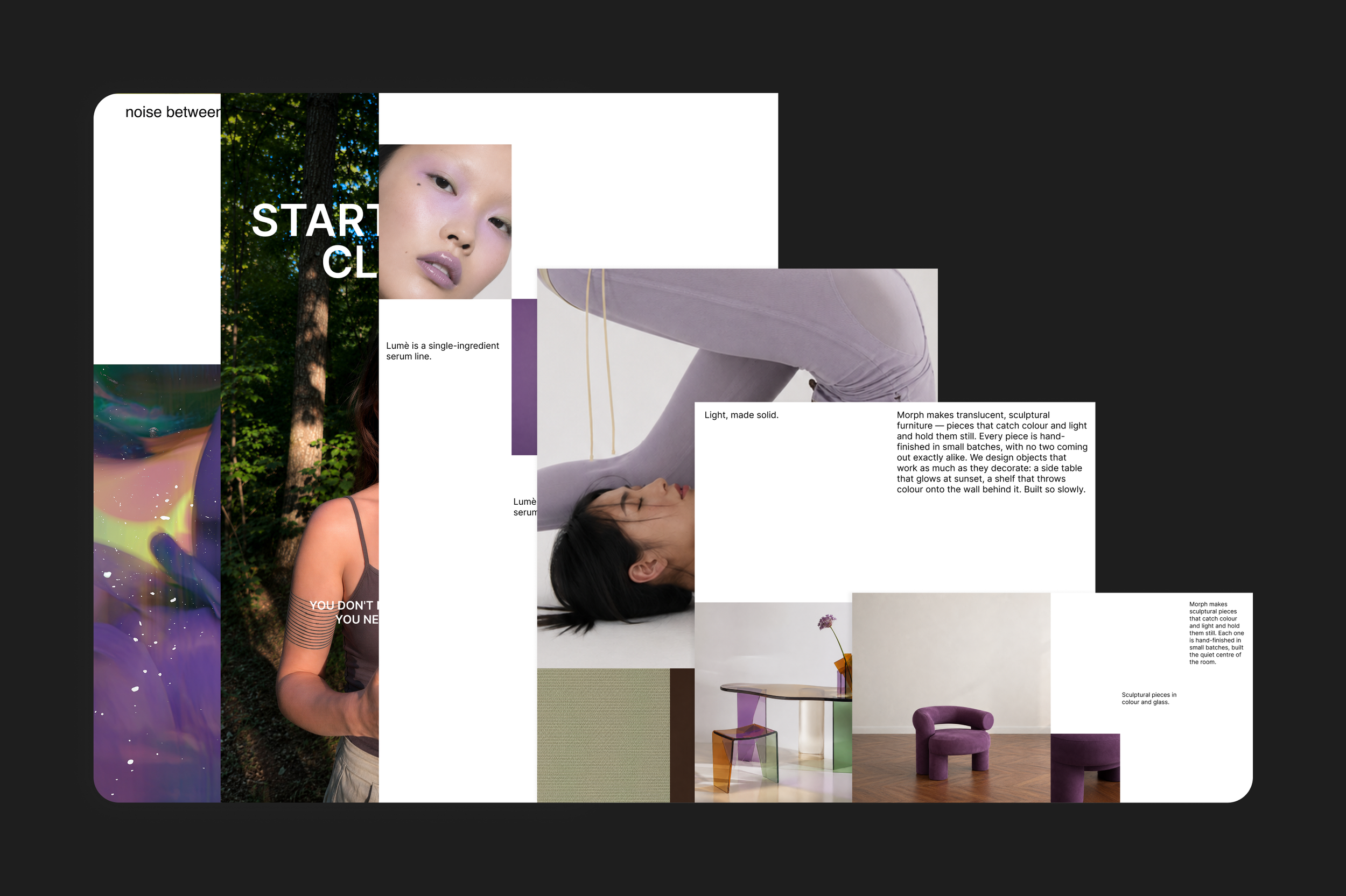
Get both systems in one download — the social layouts and the full composition library. Every grid we've built, ready to drop into any project, for $17 less than buying separately.